
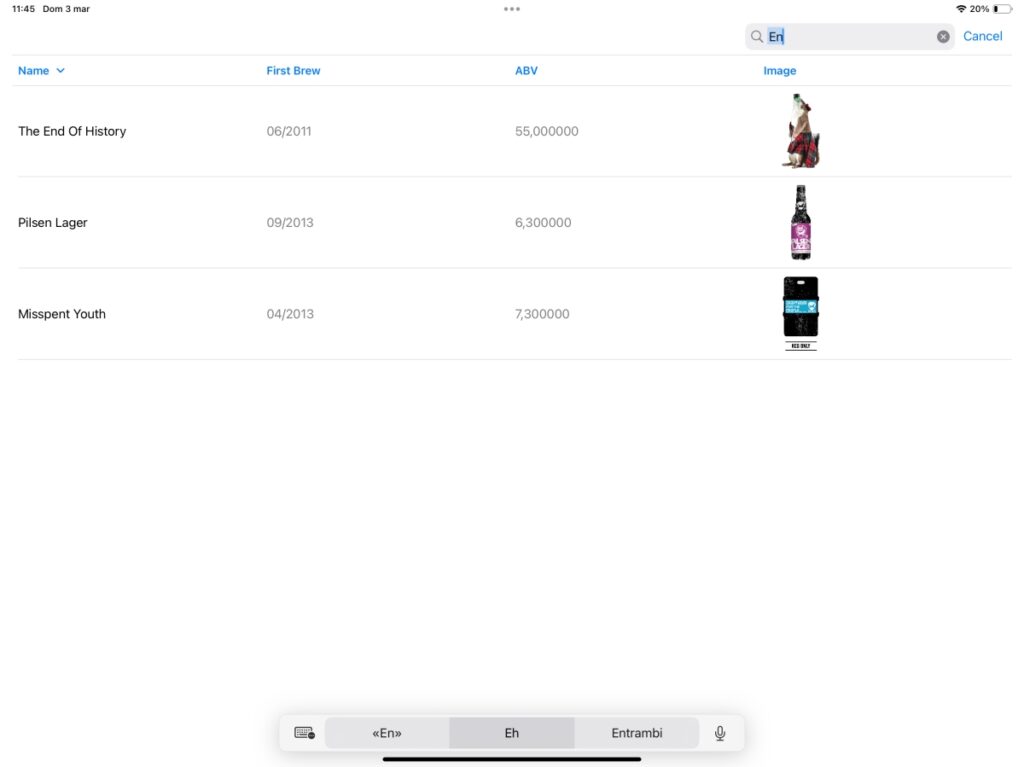
When using a table, you typically manage a lot of data, so some basic operations include searching and selecting. In this post, you’ll learn how to search for data in a table and how to select a row.
Search
Before we start, consider that our starting point is the code from Episode I, which you can obtain here .
The first step is to add the search functionality. To do this, we need to incorporate a NavigationStack into our code:
NavigationStack {
            Table(foundBeers, sortOrder: $sortOrder) {
                // the same code
            }.onAppear {
                Task {
                    await getBeers()
                }
            }.onChange(of: sortOrder) {
                beers.sort(using: sortOrder)
            }.searchable(text: $searchText, prompt: Text("Search by name"))
        }
Therefore, we added the searchable modifier (similar to how it’s done for a list). The searchText will contain the text entered by the user, and foundBeers will hold the results of the search.
var foundBeers: [Beer] {
        if searchText.count == 0 {
            return self.beers
        } else {
            return self.beers.filter({(beer: Beer) -> Bool in
                return beer.name.lowercased().contains(searchText.lowercased())
            })
        }
    }
If the search field is empty, this variable contains all the beers. Otherwise, it filters by name. The filter function retrieves all the beers that match the condition where the name contains the searchText – all in lowercase to avoid case sensitivity.
Combining the pieces:
struct ContentView: View {
    @State var beers: [Beer] = []
    @State var page = 0
    @State private var sortOrder = [KeyPathComparator(\Beer.name, order: .reverse)]
    @State private var searchText = ""

    var body: some View {
        NavigationStack {
            Table(foundBeers, sortOrder: $sortOrder) {
                TableColumn("Name", value: \.name)
                TableColumn("First Brew", value: \.first_brewed)
                TableColumn("ABV") { beer in
                    Text("\(beer.abv)")
                }
                TableColumn("Image") { beer in
                    AsyncImage(url: URL(string: beer.image_url)) { image in
                        image.resizable().scaledToFit()
                    } placeholder: {
                        ProgressView()
                    }
                    .frame(width: 100, height: 100)
                }
            }.onAppear {
                Task {
                    await getBeers()
                }
            }.onChange(of: sortOrder) {
                beers.sort(using: sortOrder)
            }.searchable(text: $searchText, prompt: Text("Search by name"))
        }
    }
    var foundBeers: [Beer] {
        if searchText.count == 0 {
            return self.beers
        } else {
            return self.beers.filter({(beer: Beer) -> Bool in
                return beer.name.lowercased().contains(searchText.lowercased())
            })
        }
    }

    func getBeers() async {
        // get from previous
    }
}
Select
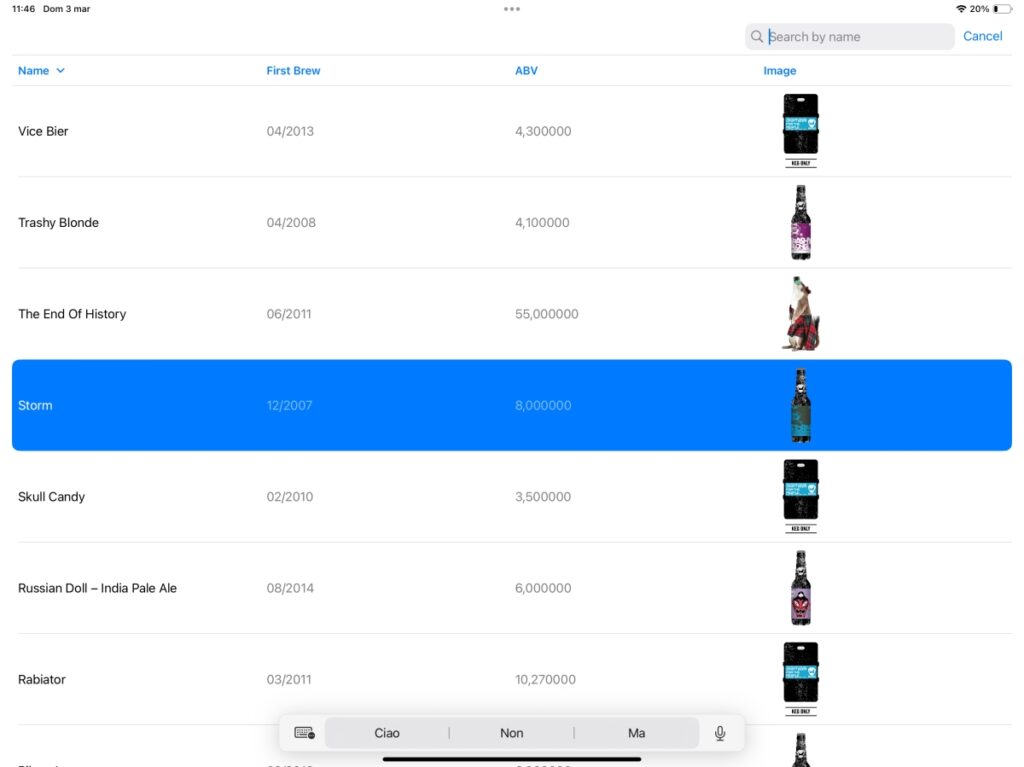
To select and highlight an item, we need to make some minor changes:
- Add a variable that will contain the selected item or items.
- Use a different initialization function for the table.
For the first point:
@State private var beerSelected: Beer.ID?
Considering that there might be a selection or not, the beerSelected variable is optional (based on the identifiable property). If you want to enable multiple selections, replace Beer.ID? with an empty Set<Beer.ID>.
@State private var beerSelected: Set<Beer.ID> = Set<Beer.ID>()
For the second point on the list:
Table(beersSearched, selection: $beerSelected, sortOrder: $sortOrder) {
Please select the right beer!
Note: English is not my native language, so I apologize for any errors. I use AI solely to generate the banner of the post; the content is human-generated.